RAM vs. Storage: What Your Computer’s Memory Actually Does | Tech Info
Ever found yourself staring at a new laptop's specs, wondering why there are two completely different numbers for "memory"? You see 16GB of RAM listed in one place and 512GB of Storage in another, and your brain immediately asks: Wait, aren't those the exact same thing?
If you've ever been confused by this, you are definitely not alone! It is one of the most common tech mix-ups out there. While both RAM and storage hold data, they do completely different jobs inside your device. Understanding the difference between them is the secret to picking the right computer and keeping your current machine running at lightning speed. Let's break it down in simple, everyday terms!
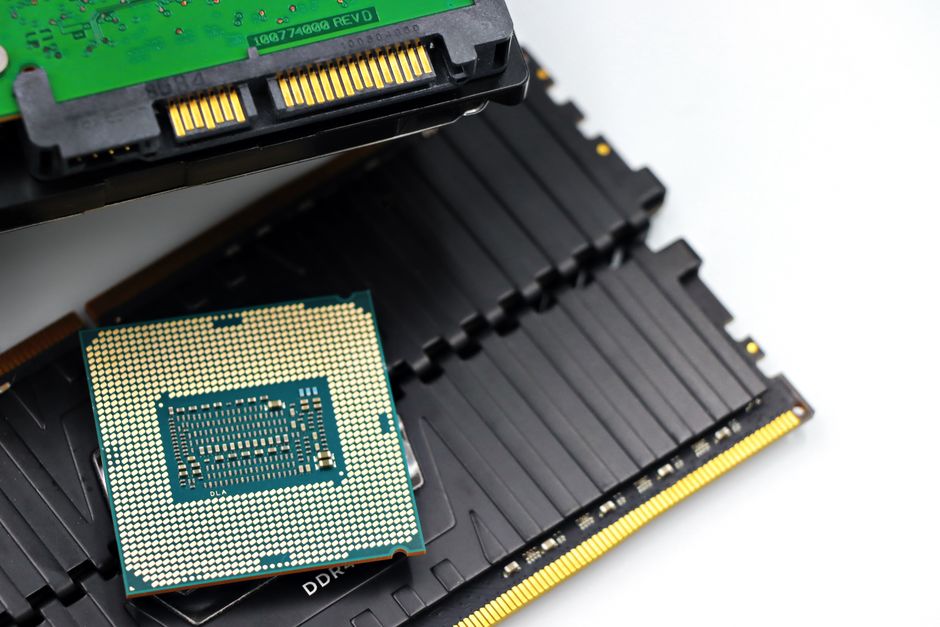

What is RAM? Think of It as Your Desk
RAM stands for Random Access Memory. To understand what it does, imagine sitting down at an office desk. When you are actively working on a project, you pull out your notebook, a couple of pens, a reference book, and a calculator, placing them right on top of your desk so you can reach them instantly without moving.
That physical desk surface is your computer's RAM. It holds the temporary data your computer is using right now. When you open a web browser, load a photo editor, or launch a video game, those active applications are loaded directly into RAM. The bigger your desk (more RAM), the more tools and projects you can keep open at the same time without things getting cluttered and slowing you down.
However, RAM has one major catch: it is volatile. The moment you turn off your computer, everything sitting on top of that desk is completely wiped clean. That’s where storage comes in!
What is Storage? Think of It as Your Filing Cabinet
If RAM is your desk, then Storage—whether it's a modern Solid State Drive (SSD) or a traditional Hard Disk Drive (HDD)—is the big filing cabinet in the corner of your office.
Your storage drive is where your computer keeps all your files, family photos, favorite music, installed programs, and the operating system itself for the long haul. When you save a document and shut down your computer for the night, it gets tucked safely away inside the filing cabinet. It will stay there safely until you decide to open it again or delete it.
Storage drives are usually much larger than RAM (think hundreds of gigabytes or terabytes instead of 8 or 16 gigabytes), but reaching into a filing cabinet takes slightly longer than grabbing something that's already sitting directly on your desk.
RAM vs. Storage: Key Differences at a Glance
To keep things crystal clear, here is a quick breakdown of how these two memory types compare:
- Speed: RAM is blindingly fast because the processor needs data instantly. Storage is slower by comparison, though modern SSDs are remarkably quick!
- Permanence: RAM is temporary (short-term memory). Storage is permanent (long-term memory).
- Capacity: Most modern computers come with 8GB, 16GB, or 32GB of RAM, while storage typically ranges from 256GB to 2TB or more.
- Function: RAM handles active multitasking; storage holds your saved files and installed applications.
Quick Tips to Keep Your Computer Running Smoothly
Now that you know the difference, here are some practical tips to optimize both your memory and storage for the best performance:
- Close unused browser tabs: Every open tab eats up a slice of your RAM. If your computer feels like it's dragging, close the tabs you aren't using!
- Restart your computer regularly: Shutting down or restarting completely clears out your RAM, giving your machine a fresh, speedy clean slate.
- Keep 15% of your storage free: Leaving a bit of free space on your SSD or HDD allows your operating system to perform essential background maintenance without hiccups.
- Upgrade to an SSD: If your older desktop or laptop relies on a mechanical Hard Disk Drive (HDD), swapping it for a Solid State Drive (SSD) will make the entire system feel like brand new.
- Know your needs before buying: Basic web browsing and streaming work great on 8GB of RAM and 256GB of storage. If you enjoy gaming, video editing, or heavy multitasking, aim for at least 16GB of RAM and 512GB (or more) of storage.
So, the next time you shop for tech, remember: RAM is your active desk space, and storage is your long-term filing cabinet. Balancing both ensures you'll always have a smooth, fast computing experience!
Post a Comment