Is AI Killing Your Battery? How to Optimize Your Phone for the On-Device Intelligence Era | Tech Info
We’ve all been there. You unbox your shiny new smartphone, marvel at its mind-blowing on-device AI features, and spend hours generating custom emojis, summarizing long articles, and using magic erasers on your photos. It feels like living in the future! But then, you glance at the top right corner of your screen and gasp. It’s barely 2:00 PM, and your battery is already in the red zone. What gives?
Welcome to the era of on-device intelligence. While having a supercomputer-grade AI living directly on your phone’s chip is incredibly convenient (and great for privacy), it comes with a major catch: it is an absolute power hog. If you've noticed your battery life plummeting lately, you aren’t alone. Let’s dive into why this happens and, more importantly, how you can optimize your smartphone to keep it running all day long without sacrificing all the smart features you love.
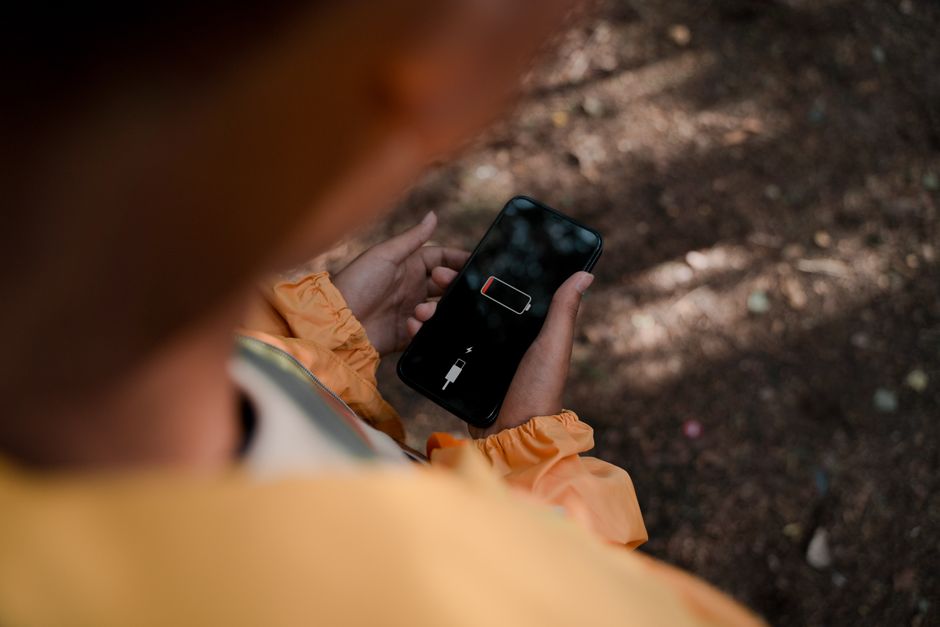

The Heavy Toll of On-Device Brainpower
In the past, when you asked a virtual assistant a question, your phone acted as a simple messenger. It sent your voice to a massive server farm in the cloud, the cloud did the heavy lifting, and sent the answer back. Today, things are different. Phones now carry powerful Neural Processing Units (NPUs) designed to run Large Language Models (LLMs) right in your pocket.
This transition means your phone's processor is working harder than ever before. Whenever your phone suggests smart replies, indexes your photos for easy searching, or translates conversations in real-time, its silicon brain is running at full throttle. This continuous background processing creates heat and drains energy at a much faster rate than traditional scrolling or texting ever did.
How to Strike the Perfect Balance
You don't need to turn your smart companion into a "dumb phone" just to survive the workday. Instead, the goal is optimization. By managing which AI features run in the background and when they operate, you can reclaim your battery life without losing the futuristic perks.
First, take control of your background app refresh and sync settings. Many AI features rely on constant background scanning. For instance, photo-sorting AI scans your gallery to recognize faces and objects when your phone is idle. By restricting these intensive tasks to run only when your phone is plugged into a charger and connected to Wi-Fi, you can save massive amounts of daily juice.
Second, manage your on-device assistants. Siri, Google Gemini, and Samsung's Galaxy AI are always listening for their wake words. Disabling "always-on" listening forces you to press a button to activate your assistant, but it stops your microphone and NPU from constantly sipping power in standby mode.
Quick Tips to Keep Your Phone Charged
Need a fast checklist to boost your battery life right now? Here are the best ways to optimize your phone for the AI era:
- Disable "Always-Listening" Assistants: Turn off "Hey Siri" or "Hey Google" and trigger them manually with a button press instead.
- Limit Background App Refresh: Prevent AI-heavy apps from processing data and learning your habits when you aren't actually using them.
- Schedule AI Photo Indexing: Set your gallery apps to only categorize, tag, and organize photos while your phone is charging overnight.
- Keep Your Phone Cool: AI processing generates quite a bit of heat, which degrades battery health. Avoid using heavy AI generation features in direct sunlight.
- Use Dark Mode: If your phone has an OLED screen, dark mode reduces the power consumed by the display, leaving more energy to handle local AI processing.
- Turn Off Unused AI Widgets: Remove smart suggestion widgets from your home screen that constantly update based on your location and behavior throughout the day.
Smart Living, Smart Saving
On-device AI is here to stay, and it is only going to get more advanced. While hardware manufacturers are working hard to make future microchips much more energy-efficient, we still have to manage the current battery tax ourselves. By being a little more mindful of how and when your phone uses its brainpower, you can enjoy the best of both worlds: a brilliant smartphone that actually lasts until bedtime. Happy optimizing!
Post a Comment